Group Codes
Group codes are the same as Item Codes/Wire Codes in usage. They can be created using the three dots button which will initiate Group Codes window.
- Plus button will add the Code to the list,
- X button will delete a code from the list,
- Pencil button will rename a code.
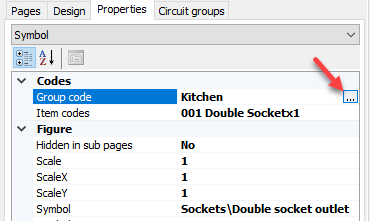
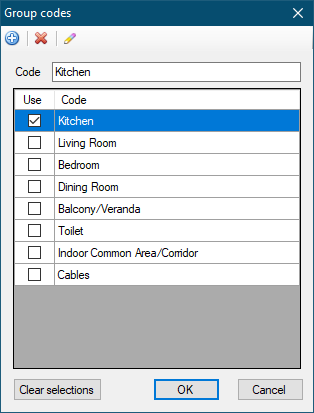
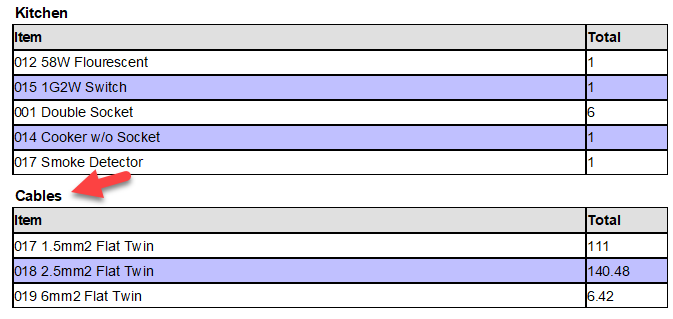
However, Group Codes are used to determine the structure of the Material List rather than used to define a symbol or wire. Each group code will create a new section on the material list. As seen above, we created a few codes which are basically room descriptions of a domestic project. Another code, Cables, also defined to create a separate list for cables. The result can be seen below:
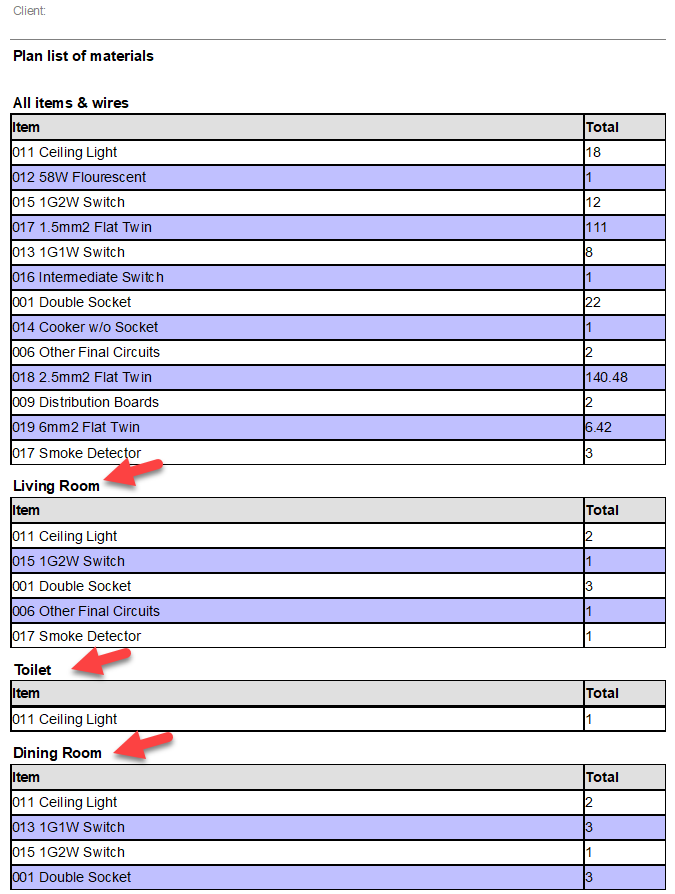
Instead of having a big list of item/wire codes, now we have a grouped list of items/wires.Also, by adding a Cables group we also managed to list all the cables used in the project as a separate list, see below.